Add AI captions to your short videos

Fix a word, keep the timing
From word-by-word to Magazine layouts
Ready for Reels, Shorts, and TikTok
Take your captions anywhere

CaptionBolt

-92%$39
$468
  • Lifetime access
  • Refundable up to 60 days
  • Plus members are covered by our We Got Your Back guarantee

AppSumo Launchpad

Chosen by AppSumo for their potential and innovation

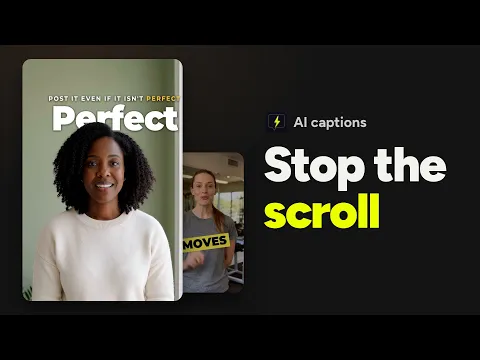
Adding captions to short videos usually means syncing text line by line and learning editing software you don’t have time for. CaptionBolt styles captions from your speech and gets the video ready to post.

TL;DR

  • checkmarkApply AI captions in 359 styles instantly, then review the words instead of fiddling with timing
  • checkmarkFinish videos with resizing, B-Roll, covers, branding, and social post drafts in one workflow

At-a-glance

captionbolt.com

Alternative to

Descript, Kapwing

Integrations

Pexels

Best for

Content creators, Marketing agencies, Social media marketers

Turn a recorded clip into a captioned video ready to post

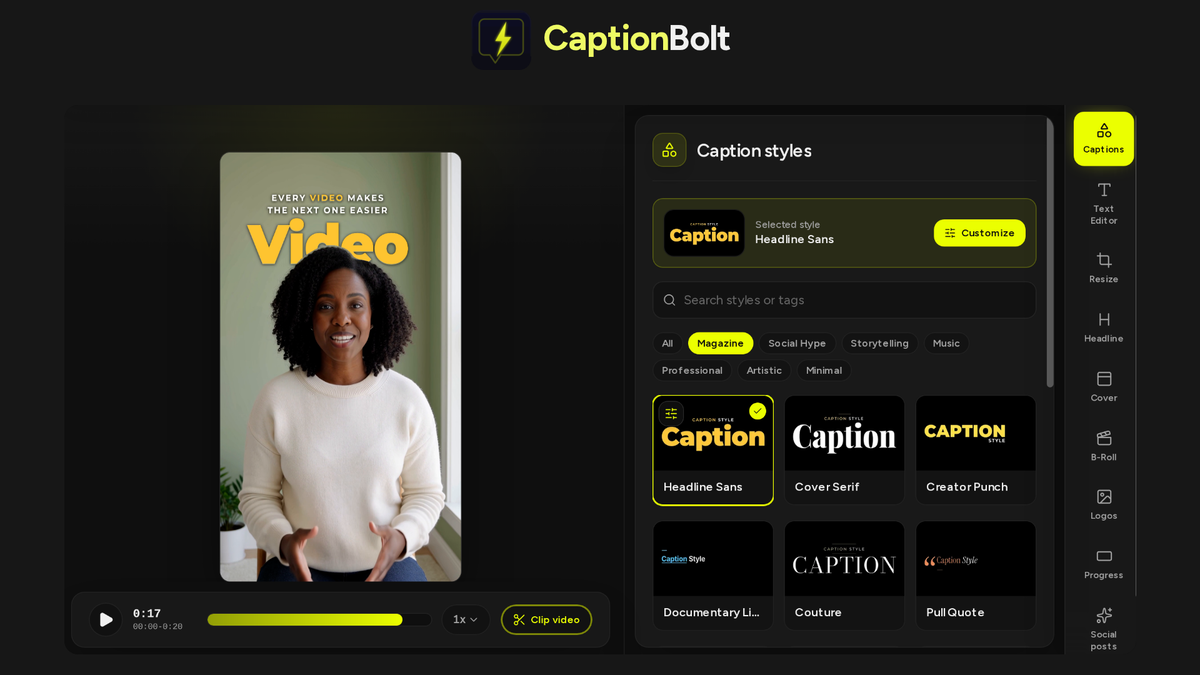
Pick a caption look, from word-by-word captions to Magazine layouts

  • Get captions timed to every word from the speech in your video
  • Hover over any of the 359 styles to watch it move before you apply it
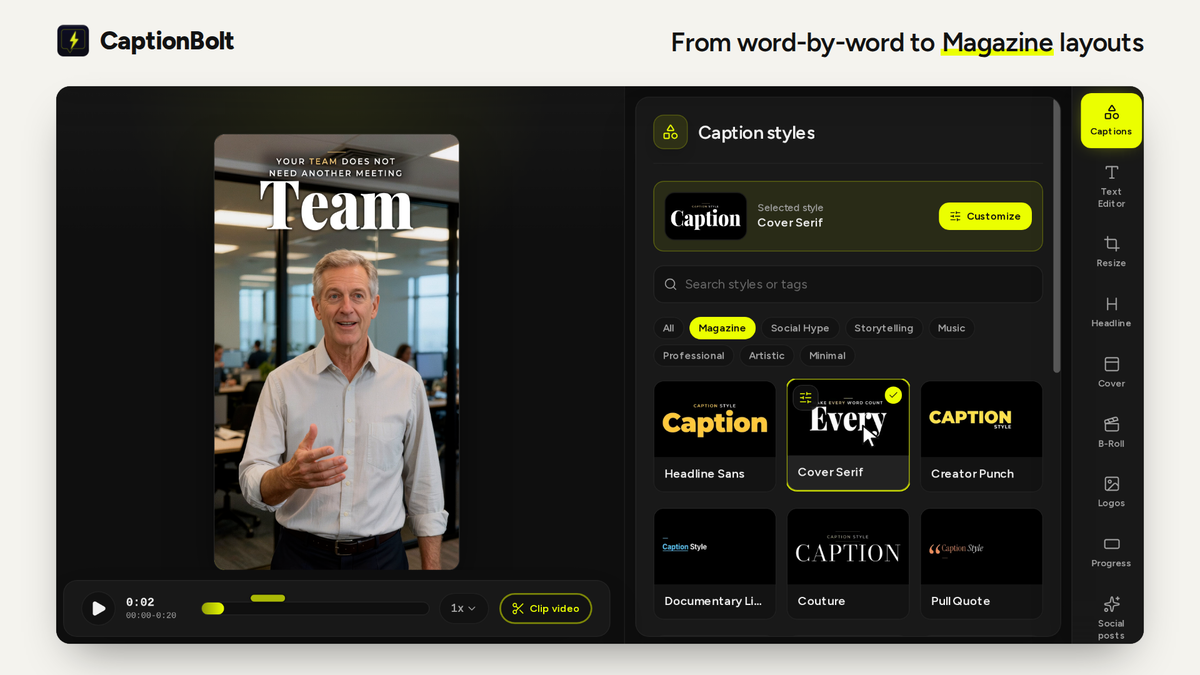
  • Switch to a Magazine layout, where AI sets each phrase around one large main word that you can change
  • Keep your face in view as Magazine layouts work around the speaker where they can, and some slip a word behind your head now and then
  • Change the font, colors, motion, and highlighted words, or upload your own font
Pick a caption look, from word-by-word captions to Magazine layouts

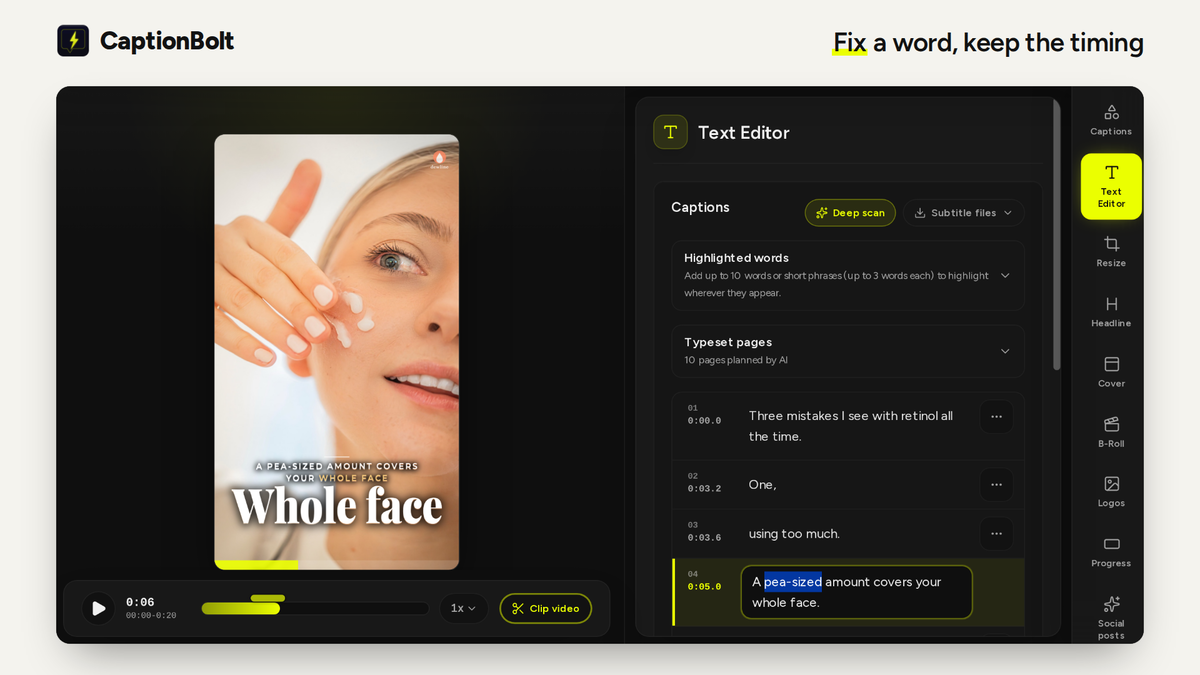
Fix what the AI got wrong without redoing the timing

  • Click any word in Text Editor and type the fix, so names, brands, and terms come out right
  • Leave the audio as it is, because a text fix changes only the captions
  • Run Deep scan on songs or videos with loud background music to find lines the first pass missed, then add the ones you want
  • Play the preview to check every caption before you export
Fix what the AI got wrong without redoing the timing

Get it ready to post without opening another editor

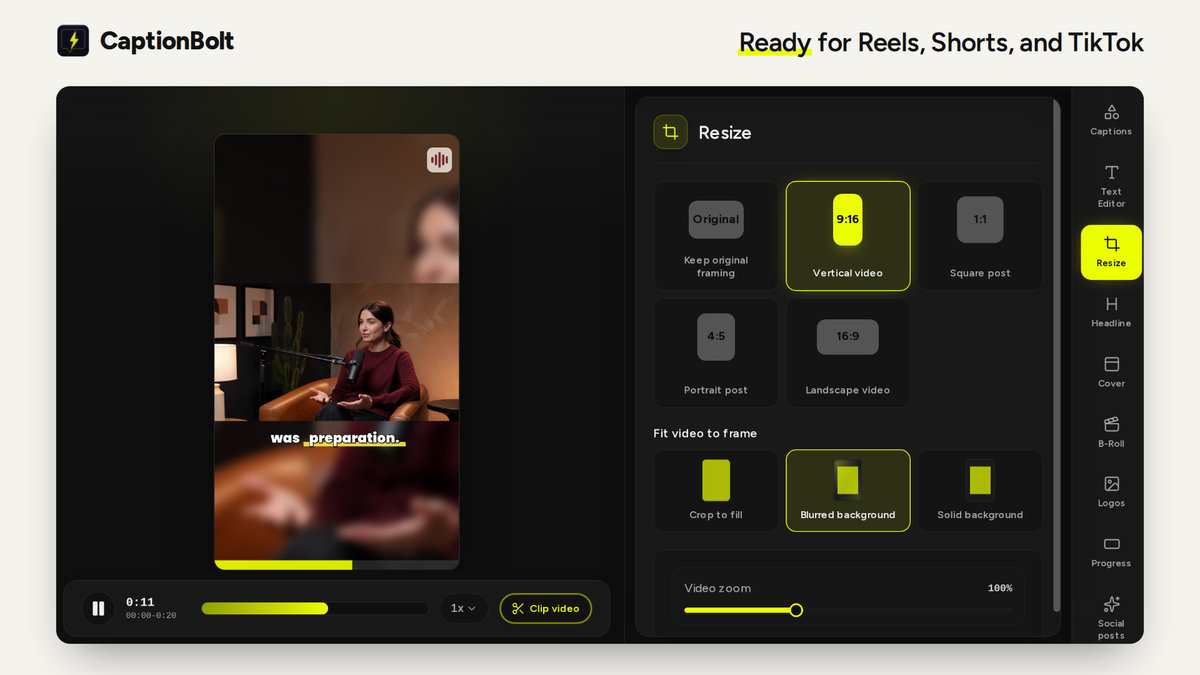
  • Keep the original frame or switch to 9:16, 1:1, 4:5, or 16:9, and fill the space with a crop, blurred background, or solid color
  • Add a cover from 24 editable designs, plus B-Roll from AI suggestions, Pexels, or your own clips
  • Save your caption look, logo, and progress bar as a preset so the next video starts on brand
  • Get a first draft of your post for TikTok, Instagram Reels, and YouTube Shorts, with hashtags and a YouTube title
Get it ready to post without opening another editor

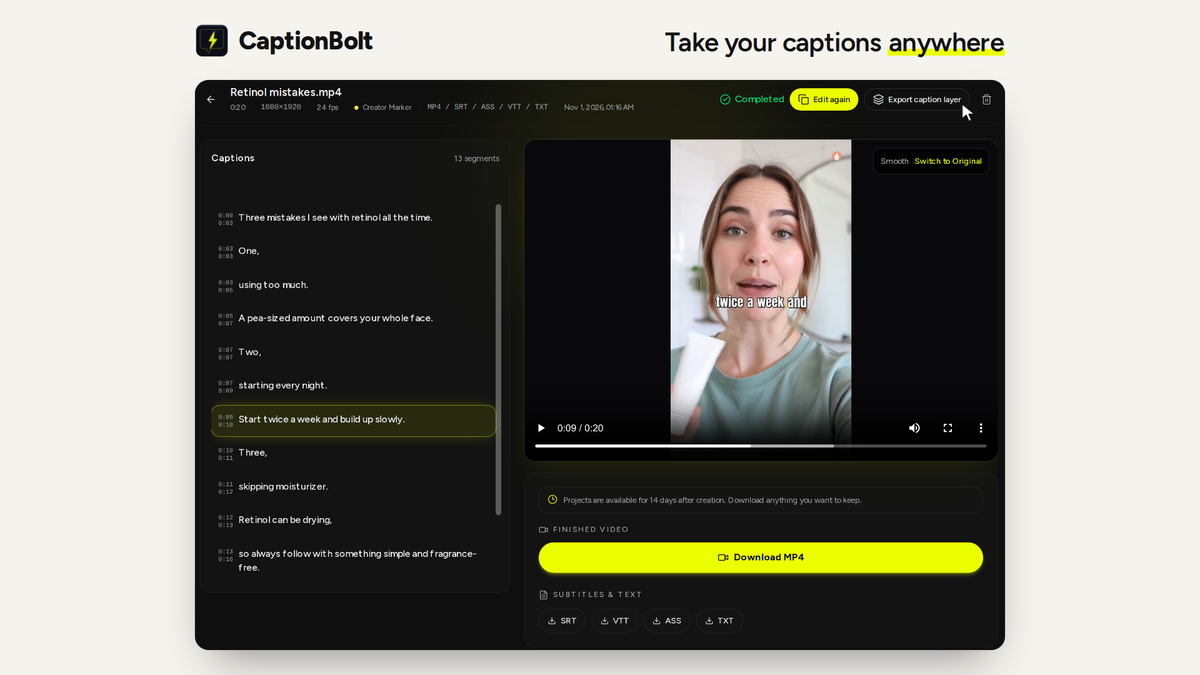
Download the finished video, the subtitle files, or only the captions

  • Download MP4s in up to 4K with no watermark, on every tier
  • Export a TXT transcript on every tier, SRT and ASS files from Tier 2, and VTT in Tier 3
  • Export only the captions as a transparent layer to drop over your edit in Premiere Pro, DaVinci Resolve, or Final Cut Pro (Tier 2 and above)
  • Automate captioning with a REST API, webhooks, or an MCP server for AI agents (Tier 3)
Download the finished video, the subtitle files, or only the captions

Choose the plan that’s right for you

Feel secure in your purchase with AppSumo's 60 day money-back guarantee.

Recommended badgeRecommended
Refundable up to 60 days
Plus members are covered by our
We Got Your Back guarantee
Deal terms & conditions
CaptionBolt
See CaptionBolt
Founded October 15, 2023
Hong Kong
1-10
Startup
Bootstrapped

We shipped: Magazine captions and 12 more updates

Hi Sumo-lings,

Matt here, founder of CaptionBolt.

It's been one week since we launched on AppSumo, and you've kept us busy in the best way. You've sent questions, reviews, emails and even your own videos, and I've read every one. Everything below started there.

There's a lot, so apart from the first one, I've kept each update to a line or two. You'll find the full details on our changelog: https://captionbolt.com/changelog

New: Magazine captions (every tier)

With Magazine, our goal was to make every frame of your video look like a magazine cover. The Captions panel now has 16 Magazine styles, from Cover Serif and Pull Quote to Front Page and Cluster. Each one sets a phrase as a designed page, with one large main word and the rest of the words laid out around it.

What makes it work:

• AI plans every page. It reads your transcript, splits it into pages, picks each page's main word and decides how strongly it should stand out, saving the biggest moments so they still feel big. Planning doesn't use processing minutes.

• AI reads every scene. When you upload, CaptionBolt follows where the speaker is throughout the video. Each page is placed to stay clear of their face, avoid bright or busy backgrounds and keep the main word easy to read.

• Text behind the speaker. Like the title on a real magazine cover, the main word can slip behind the speaker's head and follow its outline as they move. Styles marked Behind speaker do this only when the head is clearly visible, and only now and then, so it stays a special moment.

You stay in control. You can change any main word in Text Editor or Customize, and turn off Text behind the speaker in Customize. The preview, ASS download and exported video always match. Face-aware placement and Text behind the speaker work on new uploads, and they only look at where the speaker is, never who they are.

More of what you asked for

• Deep scan (from my last update): in Text Editor, recover captions hidden under songs, background music or fast speech. Included in every tier, with no extra processing minutes.

• Live style previews (also from my last update): hover over any style card in the Captions panel to watch it move before you pick it.

• Transparent caption layer (Tier 2 and Tier 3): export only your captions as a transparent ProRes 4444 .mov and place it over your video in your own editing app. It matches your video's resolution, so it lines up without resizing. Click Export caption layer next to Export video.

• Cantonese, Traditional and Simplified Chinese: choose the one you want when you upload, and the whole video stays in that script, including passages recovered by Deep scan. Cantonese uses written Chinese with Hong Kong Traditional characters, as Hong Kong subtitles usually do.

• Captions stay in sync when you cut words: delete words in Text Editor, and the caption no longer stays on screen while those words are spoken.

• No more captions at 0:00: if your video opens with silence or music, the first caption now waits for the first spoken word. This applies to new uploads.

Smaller improvements

• Five Talking styles (Talking Point, Card, Build, Focus and Spotlight) place short phrases at chest height for talking-head videos, with your highlighted words in an accent color.

• Five ready-made looks in the Headline Style tab: Clean, Label, Accent, Outline and Banner. Headlines also get a soft shadow, a fade in and out and better-balanced lines.

• Rename projects and transcripts: click the name at the top of the Editor, or choose Rename on the Dashboard or the Projects page. Copies are now named like "Interview (copy).mp4".

• Light mode: choose Light, Dark or System under Color mode in the account menu.

• An actions menu on Dashboard project cards, so you can edit, download, rename or remove a project without going to the Projects page.

• Captions, Headlines and Covers in Instrument Serif, Barlow Condensed or Bodoni Moda no longer render wider than planned.

Keep the suggestions coming. If something doesn't work the way you expected, or there's something you wish CaptionBolt could do, post in the Questions section here or email support@captionbolt.com. If it's about a specific video, include the project link. Real examples help us more than anything.

Thank you again for backing us this early. We'll keep listening, and we'll keep shipping.

Matt

CaptionBolt

Matt Liu
Founder

Questions & reviews

AskSumo

Customers appreciate CaptionBolt, praising its time-saving capabilities, user-friendly interface, and impressive range of customizable caption styles. While some users noted minor drawbacks like the absence of AI clip-splitting and translation features, these are just small bumps on the road. Weighing the raves against the occasional grumbles, CaptionBolt is hitting the mark and is a solid buy for those looking to enhance their short-form video content. With a 60-day money-back guarantee, it's worth giving it a try!

AI-powered summary of customer reviews